
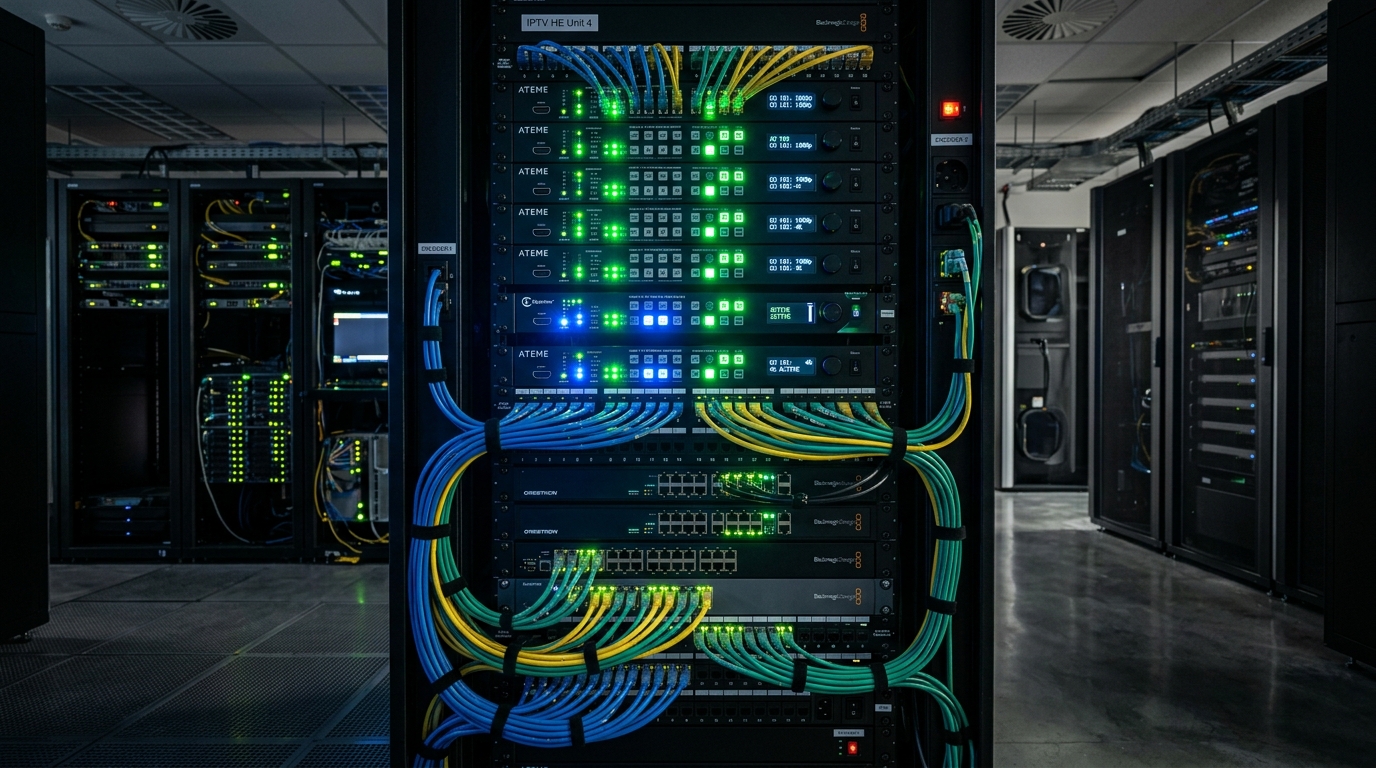
⚡ Executive Summary: HDMI Headend Architecture
- ✅ Core Function: An HDMI TV headend takes HDMI signals from receivers and converts them into IP multicast/unicast streams (TS over UDP/RTP, HLS, SRT).
- ✅ Hardware Stack: Dedicated HDMI encoders (H.264/H.265), IGMP-snooping managed Gigabit switches, middleware gateway, and client players (TiviMate).
- ✅ Software Integration: Compatible with TVHeadend, Xtream UI, and Flussonic for channel list generation and XMLTV EPG distribution.
- ✅ Cloud Alternative: Avoid expensive physical hardware and maintenance by connecting directly to 4K Tivimate's enterprise cloud IPTV streams.
What Is an HDMI Streaming Headend and How Does It Work?
In television broadcasting and hospitality networks (hotels, sports bars, enterprise campuses), an HDMI TV headend serves as the master intake hub. Rather than running thick, signal-limited HDMI cables through walls across hundreds of meters, a headend converts incoming video feeds into digital network packets that travel over standard Ethernet cables and Wi-Fi networks.
The basic workflow consists of four essential stages:
- Source Generation: HDMI outputs from set-top boxes, Apple TVs, Blu-ray players, or satellite receivers feed uncompressed video into the headend rack.
- Hardware Encoding: Multi-channel HDMI to IP encoders compress video from raw gigabits down to manageable 8–20 Mbps streams using H.264 (AVC) or H.265 (HEVC).
- IP Packetization: Video is packaged into Transport Streams (MPEG-TS) and broadcast as UDP/RTP Multicast or HTTP/HLS unicast feeds.
- Client Distribution: Streaming apps like TiviMate, VLC, or Smart TV applications ingest the generated M3U playlist and decode the streams with sub-second latency.
HDMI Headend Hardware vs. Cloud IPTV Streaming
| Parameter | On-Premise HDMI TV Headend | 4K Tivimate Cloud Service |
|---|---|---|
| Initial Setup Cost | $1,500 – $10,000+ (Encoders, racks, switches) | From $11.99 / mo (Zero hardware) |
| Channel Capacity | Limited to number of physical HDMI inputs (4 to 16) | 40,000+ Live Channels + 100,000 VOD |
| Maintenance & Heat | Requires server room, cooling & manual monitoring | 100% Cloud-managed with 99.9% SLA |
| EPG Integration | Manual XMLTV scraping required | Pre-configured 7-Day automated EPG |
💡 Skip the Expensive Hardware Headend
Get instant access to 40,000+ pre-encoded 4K and 60 FPS sports channels ready to play on TiviMate in 2 minutes. Free 24h trial on WhatsApp.
💬 Claim Free 24h Trial on WhatsAppHow to Build an IPTV Network with TVHeadend Integration
For network administrators looking to configure a local IPTV headend using TVHeadend on Ubuntu or Debian Linux:
- 1 Assign Static IP Addresses to HDMI IP Encoders
Log into the web GUI of your HDMI streaming headend encoders and set unique static IPs (e.g.,
192.168.1.101through192.168.1.108). - 2 Configure Encoding Bitrate and Protocol
Select H.265 (HEVC) at 8,000 kbps for 1080p 60 FPS, or 18,000 kbps for 4K UHD feeds. Set transmission to UDP Multicast with unique port numbers (e.g.,
udp://239.255.1.1:1234). - 3 Add M3U Network in TVHeadend
In TVHeadend web interface, go to Configuration > DVB Inputs > Networks > Add, choose IPTV Automatic Network, and provide your encoder playlist URL.
- 4 Stream to Firestick and TiviMate
Export the M3U link from TVHeadend and load it into TiviMate on your Amazon Firestick or Android TV for immediate playback.
Frequently Asked Questions (FAQ)
What is an HDMI TV Headend in IPTV architecture?
How do you convert multiple HDMI signals to IP streams for IPTV?
Can I use TVHeadend with an HDMI IP headend system?
What is the bandwidth requirement for a multi-channel 4K HDMI headend?
Does 4K Tivimate provide ready-to-use cloud IPTV feeds without needing local headend hardware?
Get Commercial-Grade 4K IPTV Feeds Today
Tired of managing headend encoders and server heat? Enjoy 40,000+ pre-encoded live sports and entertainment channels with 4K Tivimate.