
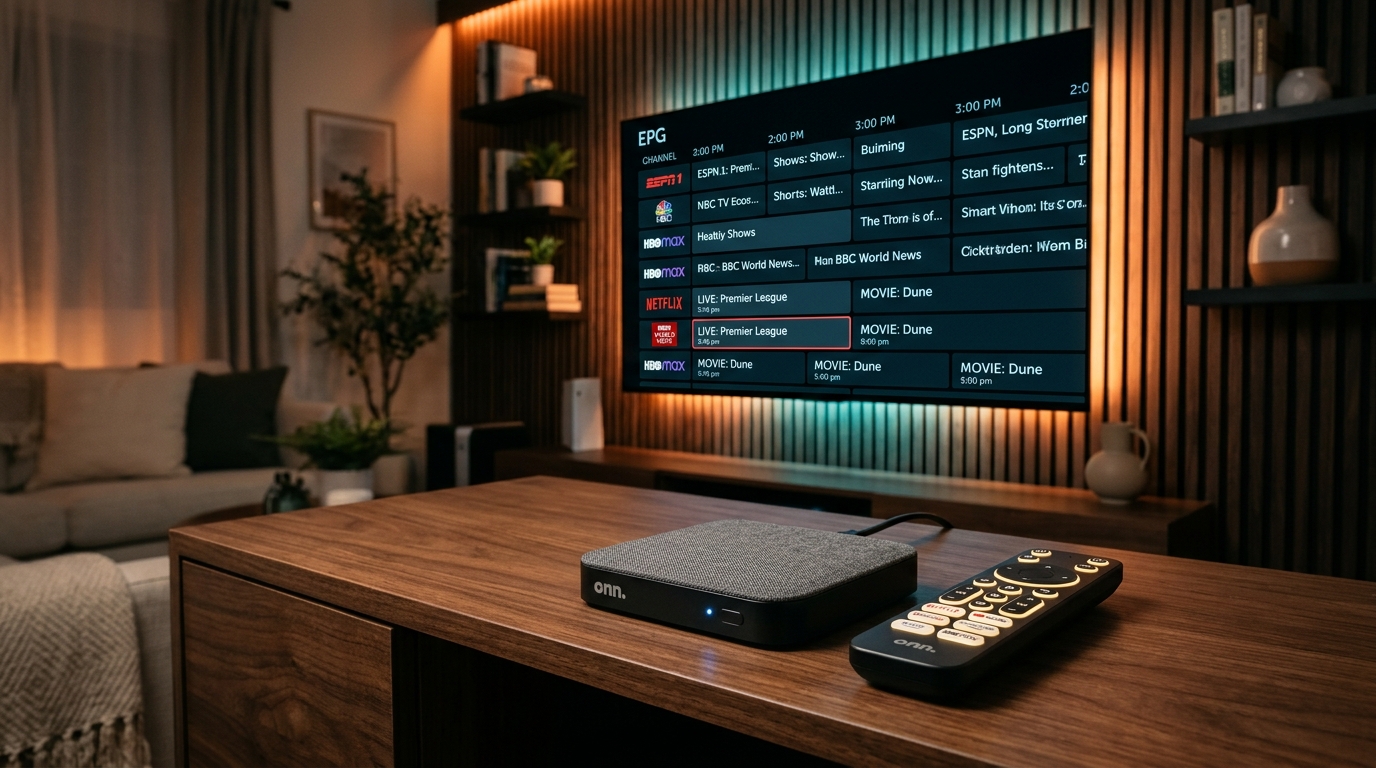
Quick Summary (Why It's the #1 Budget Choice)
- • No Sideloading Hassle: Direct 1-click download of TiviMate and TiviMate Companion from the official Google Play Store. No Downloader codes needed!
- • Hardware Specs at $50: 32 GB internal storage, 3 GB RAM, Gigabit-capable Ethernet port, full-size USB 3.0 port, and Wi-Fi 6.
- • Immune to Amazon Restrictions: Because it runs pure Google TV (Android 12), you never have to worry about Amazon Vega OS blocking your apps.
- • Ready to Stream? Pair your Onn 4K Pro with 4K Tivimate for 40,000+ live 4K channels and sports with 60 FPS.
Why the Onn 4K Pro Is Dominating Cord-Cutting in 2026
For years, the Amazon Fire TV Stick 4K Max was the undisputed default recommendation for running TiviMate. But with Amazon increasingly cluttering the Fire OS home screen with full-screen video ads, locking down ADB debugging, and preparing a transition to non-Android Vega OS, cord-cutters have been searching for a cleaner alternative.
Enter the Walmart Onn 4K Pro Google TV Streaming Box ($49.88). It has taken streaming forums, subreddits, and tech YouTube channels by storm because it delivers specs usually reserved for $150+ hardware at a budget price point.
Hardware Showdown: Onn 4K Pro vs. Fire TV Stick 4K Max vs. Chromecast 4K
Here is how the Onn 4K Pro stacks up against its top competitors:
| Feature | Onn 4K Pro ($50) | Fire TV Stick 4K Max ($60) | Chromecast 4K ($50) |
|---|---|---|---|
| Operating System | Google TV (Android 12) | Fire OS 8 (Android 11 fork) | Google TV (Android 12) |
| Internal Storage | 32 GB (Massive) | 16 GB | 8 GB (Very Low) |
| System RAM | 3 GB | 2 GB | 2 GB |
| Full-Size USB Port | ✅ Yes (USB 3.0 Type-A) | ❌ Requires OTG cable | ❌ Requires USB-C hub |
| Built-in Ethernet | ✅ Yes (RJ-45 Port) | ❌ Requires $15 adapter | ❌ Requires $20 power brick |
| Google Play Store | ✅ Native (1-Click TiviMate) | ❌ Blocked (Amazon only) | ✅ Native |
Set Up Your Onn 4K Pro with 4K Tivimate
Stream 40,000+ live sports and global channels with instant EPG and anti-freeze servers. Instant WhatsApp trial.
How to Install TiviMate on the Onn 4K Pro (Step-by-Step)
Because the Onn 4K Pro is an official Google TV device, installation is ten times simpler than on a Firestick:
Method 1: Direct Google Play Store Install (Recommended)
- 1. Power on your Onn 4K Pro and click on the Apps tab on the Google TV home screen.
- 2. In the search bar, type "TiviMate" using your remote or voice search.
- 3. Select TiviMate IPTV Player (developed by Armobsoft FZE) and click Install.
- 4. Click Open once the download finishes. That's it—no developer options or shortcodes needed!
Method 2: Sideloading via Downloader (For Beta / Custom APKs)
If you want to test beta builds or install a specific APK version:
- 1. Install the Downloader app from the Google Play Store.
- 2. Go to Settings (Gear) > Privacy > Security & Restrictions > Unknown sources and toggle Downloader to Allowed.
- 3. Launch Downloader, type code 272483, and click Install.
How to Connect 4K Tivimate via Xtream Codes API
Follow these quick steps to load your live channels, EPG guide, and movies:
- 1. Launch TiviMate and click Add Playlist.
- 2. Select Xtream Codes API (always preferred over M3U for fast channel loading).
- 3. Enter your Server URL, Username, and Password received from 4K Tivimate.
- 4. Check the box for Include VOD to load on-demand movies and TV series.
- 5. Click Done. TiviMate will index all 40,000+ channels and sync your TV schedule in seconds!
Top 3 Onn 4K Pro Optimizations for Zero Buffering
1. Increase TiviMate Buffer Size
Go to Settings > Playback > Buffer size and select Large. With 3 GB of RAM, the Onn 4K Pro easily caches high-bitrate 60 FPS sports streams to eliminate micro-stutters during peak viewing hours.
2. Plug in a USB 3.0 Flash Drive for Instant DVR Recording
Unlike Firesticks that require awkward splitters, simply plug a flash drive into the Onn 4K Pro's USB port. Go to Settings > Other > Recording > Recordings folder and choose your USB drive to record live sports with one click.
3. Use the Built-in Ethernet Port
If your TV is near your router, plug an Ethernet cable directly into the box. Hardwired connections bypass Wi-Fi interference completely, providing rock-solid 4K stability for Sunday football and live pay-per-views.
Transform Your Onn 4K Pro into a Sports Bar
Get 40,000+ live channels, 60 FPS sports, and instant catch-up configured directly on your Onn 4K Pro with TiviMate. Activate your free test in 2 minutes on WhatsApp.