Quick Summary (The Bottom Line)
- • Can Vega OS Run APKs? No. Vega OS is a custom Linux-based system with zero Android runtime libraries. You cannot install standard Android
.apkfiles on Vega devices. - • Are Existing Firesticks Safe? Yes. Flagship models (Fire TV Stick 4K, 4K Max 2nd Gen, Fire TV Cube) remain on Android-based Fire OS 7/8 with full TiviMate support.
- • Buyer Alert: Avoid buying new entry-level "Vega OS Select" hardware if your goal is running TiviMate or custom IPTV players.
- • Ready to Stream? Pair your Android or Fire OS device with 4K Tivimate for 40,000+ live 4K channels and sports with 60 FPS.
What Is Amazon Vega OS and Why Is Amazon Moving Away from Android?
For over a decade, Amazon's Fire TV products have run on Fire OS, an operating system built on the Android Open Source Project (AOSP). Because Fire OS retained Android's core binary architecture, users could easily enable "Install Unknown Apps" in developer options, download the Downloader app, and install any Android application (.APK) such as TiviMate Premium in less than two minutes.
However, managing an Android fork requires Amazon to continuously adapt Google's underlying code, deal with overhead bloat, and surrender advertising telemetry to third-party app frameworks.
To gain 100% control over its advertising ecosystem and hardware performance, Amazon developed Vega OS. Built on a lightweight Linux kernel with application development handled via React Native and Web-based technologies, Vega OS boots faster and consumes less RAM—but at a massive cost for enthusiasts: it completely severs compatibility with Android APKs.
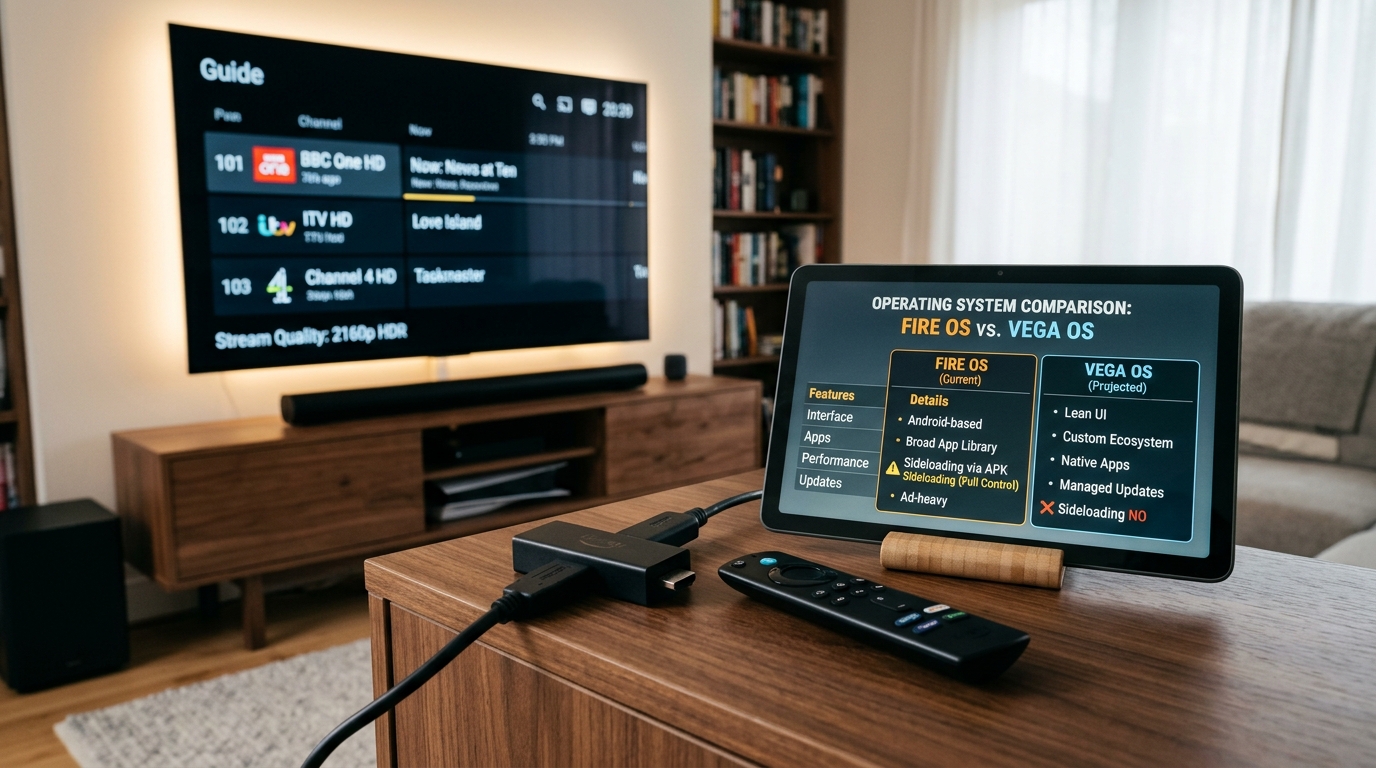
Fire OS vs. Vega OS: Technical Sideloading Comparison
Here is how the two operating systems compare for cord-cutters and IPTV power users:
| Feature | Fire OS (Android AOSP) | Vega OS (Proprietary Linux) |
|---|---|---|
| Underlying Core | Android 9 / 11 (AOSP) | Custom Linux Kernel + WebKit |
| APK Sideloading | ✅ Yes (Full Support) | ❌ No (Completely Incompatible) |
| TiviMate Compatibility | ✅ Works Flawlessly | ❌ Cannot Be Installed |
| Downloader App Shortcodes | ✅ Code 272483 Installs APK | ❌ Parse Error / Unrecognized Binary |
| App Ecosystem | Amazon Appstore + Android APKs | Curated Amazon Web Store Only |
| Target Devices | Fire TV Stick 4K, 4K Max, Cube | New Entry-Level Fire TV Sticks |
Running Fire OS or Android TV? Stream in 4K Today
Unlock 40,000+ live sports and global channels on TiviMate with anti-freeze servers. Instant 24-hour test via WhatsApp.
Which Amazon Fire TV Devices Are Safe for TiviMate?
There is widespread panic on Reddit and streaming forums that existing Firesticks will wake up tomorrow with Vega OS installed. This is false.
Because converting an existing device from Android to Linux would wipe user configurations and break native apps, Amazon is keeping existing devices on Fire OS. Here is the breakdown:
✅ Safe Devices (Run Android Fire OS — TiviMate Fully Supported):
- • Fire TV Stick 4K Max (2nd Gen - 2023/2024/2026): Runs Fire OS 8 (Android 11). Supports hardware AV1, Wi-Fi 6E, and runs TiviMate with multi-view flawlessly.
- • Fire TV Stick 4K (2nd Gen): Runs Fire OS 8. Complete APK sideloading capability.
- • Fire TV Cube (3rd Gen): The fastest Fire TV hardware available. Fully Android-based.
- • Fire TV Stick 4K (1st Gen - 2018): Runs Fire OS 6. Sideloading works without issues.
❌ Devices to Avoid (Vega OS / Non-Android):
- • New Fire TV Stick "Select" Models: Packaged specifically with Vega OS for budget retail promotions.
- • Echo Show Smart Displays: Running the newly transitioned Vega OS interface.
How to Check Your Firestick Software Version Right Now
Before attempting to sideload TiviMate or troubleshooting installation errors, verify your operating system build:
- 1. On your Fire TV home screen, scroll to the far right and select the Settings (Gear) icon.
- 2. Click on My Fire TV (or Device & Software on some firmware).
- 3. Select About, then highlight the device model on the left.
- 4. Check the Software Version listed on the right side:
- • If you see Fire OS 7.x.x or Fire OS 8.x.x, your device is 100% Android-compatible. You can use Downloader code 272483 to install TiviMate.
- • If you see Vega OS, APK sideloading is impossible on that hardware.
The Top 4 Alternative Android TV Boxes for TiviMate in 2026
If Amazon eventually sunsets Fire OS across future hardware, cord-cutters do not need to worry. The broader Android TV and Google TV ecosystem offers superior streaming boxes with zero restrictions on APK sideloading:
1. Onn Google TV 4K Pro ($50) — The Ultimate Budget Champion
Manufactured by Walmart, this box runs pure Google TV (Android 12), includes 32 GB of storage, 3 GB of RAM, hands-free voice, and an Ethernet port. It supports direct Google Play downloads of TiviMate Companion and effortless APK installation.
2. Nvidia Shield TV Pro ($199) — The Uncontested King
For serious power users, the Shield TV Pro features AI 4K upscaling, gigabit Ethernet, Dolby Vision, and enough processing power to decode 9 simultaneous live screens in TiviMate Multi-View without a single dropped frame.
3. Chromecast with Google TV 4K / Google TV Streamer
Google's official hardware lineup provides clean, bloat-free Android TV OS with native Play Store access for TiviMate and full support for USB-C external storage adapters.
4. Formuler Z11 Pro Max — Dedicated IPTV Media Box
Built exclusively for cord-cutters, running clean Android 11 with custom Gigabit networking, MYTVOnline3 middleware, and total freedom to install any third-party player.
Experience Flawless 4K Streaming with 4K Tivimate
Connect your Firestick, Google TV, or Android box to 40,000+ live channels, 60 FPS sports, and instant catch-up. Test our anti-freeze servers free for 24 hours on WhatsApp.